This week, we look at websites that list remote job positions with “remote” in their website name. We are going to look at Remote.io
Before we look at Remote.io want to remind people to evaluate the job positions
When finding job positions anywhere on the Internet, please evaluate the job positions to help avoid job scams. Information on job scams at the Consumer Trade Commission at:
https://consumer.ftc.gov/articles/job-scams
Remote.io Features
Remote.io features include
- Search for Job Positions
The main focus of Remote.io is the ability to search for remote job positions.
You can search for remote job positions in two ways: By keyword search and by browsing category.
Keyword Search
You can type in keywords you want to find in a job position.
Then hopefully, you will get a listing of job positions containing the keywords (or keywords) you typed in.
You then can select a job position from the job search list to get more details about from the Federal Trade Commission Job Scams – https://consumer.ftc.gov/articles/job-scams
Browsing Category
You can also find job positions by category.
If you scroll to the bottom of the website, you will see a listing of different categories.
Here is the number of job positions for each category when I searched on Remote.io
- Remote Admin and Assistants jobs – 3 jobs found
- Remote Blockchain and Crypto jobs – 0 jobs found
- Remote Business Development jobs – 19 jobs found
- Remote Customer Service jobs – 23 jobs found
- Remote Data jobs – 19 jobs found
- Remote Design jobs – 11 jobs found
- Remote DevOps and SysAdmin jobs – 14 jobs found
- Remote Education and Coaching jobs – 0 jobs found
- Remote Finance jobs – 23 jobs found
- Remote Human Resources jobs – 24 jobs found
- Remote Legal jobs – 4 jobs found
- Remote Marketing jobs – 28 jobs found
- Remote Media and Communication jobs – 3 jobs found
- Remote Operations jobs – 5 jobs found
- Remote Product jobs – 42 jobs found
- Remote Quality Assurance jobs – 1 job found
- Remote Sales and Partnerships jobs – 25 jobs found
- Remote Software Development jobs – 52 jobs found
- Remote Other jobs – 0 jobs found
- All Remote jobs – 298 jobs found
Here are some conclusions I have from searching for job positions by browsing categories:
- Remote.io has about less than 300 remote jobs on their website
- Remote.io appears to emphasize technical positions, with the category “Remote Software Development jobs” having the most job positions from all the above categories.
What is in a job description
The descriptions of the job positions I saw will give details about what the job does, the requirements, and the skills also needed to complete the job effectively.
The jobs descriptions will have features like
- How to apply
The link will take you to the job position
When I tested out four job positions, 2 of the job positions were no longer available; 2 other job positions were available.
- The place where the job position is occurring;
The United States appeared to have the majority of the job position listed
- Job Description will list what Browing Categories the job position listed under
- Job Description lists when a job is posted on Remote.io.
Other features
Some other features listed.
- Remote Tools (link appears on the top right part of the website screen)
Remote Tools appeared to be a marketplace of other commercial services that may help fulfill the needs of the remote worker.
You may want to evaluate the services of that commercial service to see if that commercial service will fulfill your needs.
One suggestion is to do a Google search with the commercial service name and then add the word “Review” or “Reviews” to the Google search.
- Magazine (link appears on the top right part of the website screen)
The magazine gives articles about the remote work field. I found a good layout of magazine articles: clear titles, pictures, and easily able to find articles. The most current article is from July 8, 2021.
- Sweepstakes (link on the bottom left of the website)
You have information about sweepstakes conducted by Remote.io
I believe the sweepstakes is no longer running.
What I liked about Remote.io and did not like about Remote.io
Here is what I liked about Remote.io
Remote.io makes very clear what the intention of their website happens to be; it is a website that lists remote job positions, and this is the major function of the website.
- Job positions may be less competitive
(This is my guess). Job positions may be less competitive than those on larger job board sites. Fewer people may visit Remote.io than larger job board sites.
What I did not like about Remote.io
- io has about less than 300 remote jobs on their website
You may not find the job position you are looking for on this website
- Some features appear no longer functional. Some features of concern:
- Remote Magazine
Remote.io Magazine section has their last article from July 8, 2021
- Sweepstakes feature
Remote.io has a sweepstakes link that gives information about sweepstakes.
The sweepstake appeared to accept entries no longer.
- Some job positions no longer work
I clicked the “Apply Now” link for about four positions listed. Two of the job positions were no longer available. Most job positions may work; these were just the positions I examined.
In Conclusion
I think Remote.io is worth your time.
Remote.io clarifies what the Remote.io website is designed to do; Remote.io lists remote job positions.
You can quickly come to the website and find out if Remote.io has job positions you want. If you find a job of interest, your job search may be over. If you do not find a job position of interest, you can check Remote.io at a later time to see what opportunities may exist in the future.
Remote.io may be able to help you in your job search by looking at what opportunities may be available.
Live Your Life Learning Blog
This week I would like to explore Remote.com
Remote.Com is Different than Remote.co
(Note: This is Remote.com is not Remote.co – Remote.co was described in an earlier post on October 18, 2022)
What is Remote.com
Remote.com may be helpful for those with a remote business looking to hire remotely. Job seekers may also gain looking at Remote.com by learning more about the Remote work industry.
Remote.com focus on helping companies who want to hire remote talent. Remote.com gives companies the ability to hire people outside their home countries.
Remote.com Description
- Remote.com YouTube channel describes itself as helping companies with “payroll, benefits, taxes, and compliance” (From Remote.com YouTube Channel).
- A website called www.saasworthy.com describes Remote.com as a software platform called a “remote organization management platform” that helps companies do Human Resource functions like “payroll, benefits, taxes, and compliance.” (From https://www.saasworthy.com/product/remote-com). Remote.com provides an online platform to help companies manage their remote workforce.
Remote.com Features
Here are some resources on Remote.com that may be of interest
- Choose Remote Toolkit – Job seekers can find information in the Choose Remote Toolkit. The guide has a “Remote job opportunities: where to find your next flexible job” section. The Remote job opportunities have the following resources:
- Remote job boards–places on the Internet to find websites that focus on finding remote job positions
- Listing of Remote companies–listing remote companies that hire for remote job positions
- Blogs that focus on remote work–listing blogs that focus on remote work.
(Found on pages 16–18 in the guide) (Do need to provide your email to get access to the guide)
- Blog–Remote.com–has articles about Remote work–articles written from the perspective of a remote employer (https://remote.com/blog)
One blog article of interest; “How to find the best remote jobs,” by
Preston Wickersham (https://remote.com/blog/how-to-find-remote-jobs)
- “Remote talks”- Remote.com talks with leaders in the remote work industry. (https://remote.com/blog/category/remote-talks)
- Remote.com Own Career Section–Remote.com is a remote company; Remote.com list career opportunities that Remote.com is searching for (https://remote.com/careers)
- Discover the best destinations for remote work. People who work remotely may have a choice on where they may wish to live. The guide gives suggestions on potential places to live while working remotely. The guide provides the top 100 places where people could live at (https://remote.com/best-destinations-remote-work) (Do need to give your email to get access to the guide)
In Conclusion
Remote.com helps organizations find their remote talent across the world. Job-Seekers may gain information from the Remote work industry, but the website does not focus on Remote job seekers.
Live Your Life Learning Blog
(Remote.co is a different website than Remote.com.
We will look at Remote.com in a future post)
Remote.co comes from the same people who made Flexjobs.com
Remote.co comes from the same people who helped create Flexjobs.com
Features of Remote.co
Here are some features of Remote.co
Scroll down to the bottom part of Remote.co
To get a sense of all the different features on Remote.co. I would recommend that you scroll to the bottom of the webpage.
At the bottom part of the webpage, you have six major sections
(The section in All CAPS)
(1) MEET REMOTE.CO
Meet Remote.Co has some of the following sections:
- About & Contact – learn more about Remote.co. You learn that Remote.co comes from the same people who make Flexjobs.com.
- The Mobile Minds Project– project related to information and future study about remote work
(2) REMOTE Q&A
Remote Q&A gives information about Remote Companies and Remote Workers. The information presents itself in a question-and-answer format.
Remote Companies
The section focuses on Remote Companies
The remote Companies section has two parts:
Questions are on the left side of the screen, and companies are on the right side.
- The Questions (Left Part of Screen)
Listing of questions and answers related to Remote Work
The questions have the following categories:
- Why Remote
- Hiring Immediately
- Managing Remotely
- Working Remotely
- Remote Worker Insights
- The Companies (Right Part of Screen)
You can look at different Remote Companies
Get information on the Remote companies themselves
Information about the company presents itself in a question-and-answer format.
All Remote Workers
All Remote Workers give information about Remote Workers
The section is called “The Remote Worker & Digital Nomads Q&A.”
You have questions and answers from Remote Workers.
You will see Questions on the left side of the screen and Remote workers on the right side.
- Questions (on the left part of the screen)
The Questions are in the following categories:
- Going Remote
- Working Remotely
- Remote Career
- Remote Life
- Digital Nomads
- Remote Workers (on the right part of the screen)
On the right side of the screen, you will see Remote Workers
You can learn more about what Remote workers do.
Information presented in a question-and-answer format
(3) REMOTE WORK ARTICLES
You read articles about Remote work.
Articles are in the following categories
- Work Remotely
- Why Go Remote
- Build a Remote Team
- Remote Management
(4) ONLINE COURSES
Sometimes getting additional skills can help one find a job position
The Online Courses section is called “Best Online Courses for Remote Workers: Curated online to accelerate your remote career.” The section did mention some of the courses are free when you audit the course, but additional features may cost you. Check each class individually to find out the costs.
Courses organized by
- Accounting Courses
- Design Courses
- Marketing Courses
- Writing Courses
(5) REMOTE JOBS AND (6) MORE REMOTE JOBS
The last two sections then focus on finding Remote jobs.
You can search for Remote jobs in two ways: Keyword Search and Browsing by Category
You can do a keyword search
You type in a keyword search, and then (hopefully) you get a list of job positions.
I do not see an advanced feature of options to make your job searches more focused
You can search by Category
You see the following categories towards the top part of the screen:
- All
- Accounting
- Customer Service
- Data Entry
- Design
- Developer
- Editing
- Healthcare
- HR
- IT
- Legal
- Marketing
- Project manager
- QA
- Sales
- Teaching
- Virtual Assistant
- Writing
- Other
You can click the plus sign (“+”) to give you the option of more choices:
- Full -Time
- Part-Time
- Freelance
- Entry-Level
- High- Paying
- International
You can also scroll through the screen’s bottom to see more categories to give you a more focused search.
What I liked and Did not Like about Remote.co
What I liked about Remote.co
- Like you do not have to pay a subscription fee to access the jobs
- (This is my guess) the competition for jobs will be less as fewer people will go to Remote.co.
More people will go to Flexjobs.com than Remote.co
Many job positions are listed on both Remote.co and Flexjobs.com.
When I searched for jobs on Remote.co, I was also able to find these same jobs on Flexjobs.com
What I did not like about Remote.co
- You may have fewer jobs listed on Remote.co than Flexjobs.com
- You do not have an advanced search feature that allows you to make your search more focused
(You cannot search for job positions by Title field, for example)
Remote.co is a good website for finding remote work information and opportunities. I would recommend Remote.co.
Live Your Life Learning Blog
This week, I focused on a video on why no background noise is good for a remote communication job. I plan to describe remote websites next week
The link to the YouTube video is below:
https://www.youtube.com/watch?v=3UaSBeuMdb8
Thank you for reading. Thank you.
Thanks for listening
Live Your Life Learning Blog
For the next few posts, I like to focus on Job Boards that focus on Remote job positions.
I would like to start by focusing on Flexjobs.com
Flexjobs website has the following sections:
(1) My Dashboard
(2) Find Jobs
(3) My Job Search Activity
(4) Articles
(5) Learning Center
(6) Career Advice
(7) Events & Webinars
We will now look at each of these sections.
(1) My Dashboard
My Dashboard has features like
- Resume Profile–Here, you can post your resume.
Ideally, you can create a resume; recruiters will find you and offer you job offers.
- Message Box – You find different messages that come from Flexjobs.
From my personal use, most of the messages were information about upcoming classes Flexjobs was offering.
- Remote Job Market Map – You can learn facts about the remote work industry
For example, you can see a map of the United States where each state shows you the percentage of the number of people who work in the remote work industry.
(2) Find Jobs
I see in the Find Job section where you can find jobs.
One advantage of jobs found on Flexjobs is that Flexjobs will filter the job positions to increase the odds that the job positions are of high quality (reduce the odds of a spam job position, for example).
You have two different ways to search for job positions in the Flexjobs database: Keyword Search and Browse by Category.
Keyword Search
You can do a keyword search by typing in particular terms.
Type in the keywords that you want to find.
Ideally, you have a list of job positions displayed because of the keyword search.
You determine how you want the jobs to be displayed
You have two choices on how you want your job search list to be displayed
- By Relevance–By default, Flexjobs will display jobs by Relevancy.
Flexjobs will first display job positions that Flexjobs think come the closest to the keywords you typed in.
- By Date–You can display job search results when the job is posted in the Flexjobs database system.
The right Side of the Screen Gives a More Detailed Job Description.
The listing of job positions will be displayed.
If you find a job you are interested in, you can click the job position to have a more detailed job description on the right side of the screen.
After the initial keyword search, you have additional search options.
You have additional search options displayed after your initial job search.
Some additional search options are:
Location Search Box
You may ask yourself, “Why are we searching for a location for a remote job?”
The answer is that some remote job positions may have physical geographical limitations.
For example, a potential employer may recruit for job positions in a particular area (a potential employer may require a person to live in a specific state in the United States, for example).
A remote job position may be a Hybrid position–where a person spends some time at their home while spending some other time at the office. Since a person needs to come to an office, this will impose a geographical limit.
Tips? Link
To the right of the search area is a “Tips?” link.
Click the “tips?” link will give you information on operators you can use in the search box to focus your search.
Operators are instructions you type in a search box that will give you control over how the keywords you type in are searched in that database.
For example, Flexjobs uses the (“+”) plus mark to be interrupted as a AND operator.
A AND operator means both keywords next to the AND operator must be in a job description for the job description to be displayed. The two words do not need to be next to each other, but the two words must be displayed somewhere in the job description.
“Remote” Box
The “Remote” box gives you the option on what type of Remote job position you want to find.
You click on the “Remote” box and will be given a menu of options.
Some options on the list are:
- “100% Remote” Remote job positions where people can work entirely from their homes; they do not need to go into an office.
- “Hybrid”–Remote job positions where people sometimes work at your home; and you sometimes at the employer’s office.
“Career Level” Box
The “Career Level” Box gives you options of what type of career level you are looking for.
Click the “Career Level” box to get a menu of options.
You have choices ranging from entry-level to senior-level management positions.
Browse by Category
You can also search for job positions by browsing by category.
You can see a list of different categories.
Click a category of job positions you are interested in
You will then get a job listing for jobs in that category.
For example, if you are interested in education & training jobs, you can click the “Education & Training Jobs” category.
(3) My Job Search Activity
My Job Search Activity contains information about your job search activity on Flexjobs.
My Job Search Activity will have features like:
“My Saved Jobs”
My Saved Jobs will list the job positions you save.
My Saved Jobs feature is a labor-saving device.
You may sometimes find an interesting job position that interests you, but you do not have time to apply for that job position.
You can “save” that job to quickly find the job later.
The “save” job will appear in this “My Saved Jobs” section.
You will not have to look through lists of job positions to find the job position again.
(Job positions in the “My Saved Jobs” section contain only active job positions. When a job position is no longer active, the job position disappears in the “My Saved Jobs” section).
(4) Articles
You have different articles on Remote jobs.
You can find articles on a wide range of information related to remote work.
Job Search Success Stores
One category of articles is called “Job Search Success Stories.”
Job Search Success Stories gives you information on people who have succeeded on their remote job search journeys.
(5) Learning Center
The Learning Center contains classes you can look at to learn more about Remote jobs.
Some features you can find in the Learning Center are:
Listing of specific classes
You can take classes to learn something about remote jobs.
You list four topic areas where classes are organized around a topic area.
The four areas are:
- Building a Flexible Job
- Finding a Remote Job
- Working Remotely
- Recoveries from Layoff
You can click one of these four areas to find a list of classes related to that topic area.
After these four topic areas, you can find additional classes a person can take to learn about remote work.
Downloadable Guides
In this section, you can find three downloadable guides–they are:
- How to Find a Remote Job & Start Working From Home
- Guide to Resume & Cover Letter
- A Parent and Caregiver’s Guide for Returning to Work with Flexible and Remote Jobs
Expert Skills Tests
In this section, you can take skill tests to show a potential employer that you have that skill.
You can take a skill test.
You pass the skill test if you get above 70.
A skill test you pass will show up on your resume profile.
Ideally, a recruiter will see that you passed a particular skill test, and a recruiter will then contact you about job opportunities.
If you do not pass a skill test, you can re-take the test after 24 hours.
Flexjobs do not post failed test results.
Flexjobs will only show the skill tests that you are successful in.
Therefore, you may benefit from taking skill tests to show your skills.
(6) Career Advice
In this section, you can get help from a career expert.
You can get help from a career expert in two ways.
- Submit a career question for a career expert to answer in a “Job Search and Career Advice Q&A.”
The “Job Search and Career Advice Q&A” section is a class called “Career Coach Q&A” where career experts will answer questions submitted to them.
The Career Coach Q&A class presented every
Wednesday 1:00 – 3:00 pm Central Standard Time.
You can read more about the Career Coach Q&A class in the next section, “Events & Webinars.”
- Meet a career expert in a career session
You can meet a career expert in a career session.
Pay an extra fee to meet with a career expert.
The career expert may help you with job search advice, resume construction, and mock interview.
(7) Events & Webinars
This section lists the different events and classes that Flexjobs will be having.
Here are some events that can be listed in this section
Online Virtual Career Fairs.
One event that Flexjobs will have will be online virtual job fairs.
The Virtual Job fair will be a virtual fair where you can meet potential employers advertising remote job positions.
You can meet potential employers and find potential employment remote possibilities.
Career Coach Q&A class
Career Coach Q&A class where career experts answer questions that have been submitted to them.
The “Career Coach Q&A” class meets every Wednesday from 1:00 – 3:00 pm Central Standard Time.
In conclusion,
In conclusion, I want to mention the features I liked and did not like in Flexjobs.
Positive features I liked in Flexjobs.
Flexjobs appears to have about everything that would be helpful in a job search, including:
- Resume profile – You can place your resume on the Flexjobs website.
- Potential employers may find your resume listed and contact you for opportunities.
- Job Positions–You can find job opportunities on the Flexjobs website.
- Job Search history–You can get a record of your previous job search.
- Save job positions–You can save the jobs you find and glance at the positions later.
- Articles–You can read articles about remote jobs.
- Classes–You can take courses in remote jobs.
- Career Experts–You can access career experts who may help you in your remote jobs.
Disadvantages of Flexjobs
I think Flexjobs is an excellent website; here are a few disadvantages of Flexjobs I could see
A job seeker who has no income coming in; may find it challenging to pay for the subscription fee.
- You can have highly intense competition for jobs posted on Flexjobs.
You may have many people competing for job positions listed on Flexjobs.
My guess is many people use Flexjobs and pay for the subscription membership.
You are competing against other people who are motivated enough in their remote job dreams to pay for a subscription fee, creating intense competition for jobs listed on Flexjobs.
I would recommend using Flexjobs as a tool but also using other tools.
- No “title” searchability I like job search engines that allow you to do keywords search by Title.
I think a Title keyword search can give you focused job search results.
Flexjobs is an excellent website that I would recommend to others.
Flexjobs is an excellent website; may everyone be successful in their remote work journey.
Thank you for reading.
Live Your Life Learning Blog
When a person is job searching, a job search result can feel like:
No, No, No, No, No, No, No, No, No, No, No, No, No, No, No, No, maybe (that later becomes a No), No, No, No, No, No, No, No, No, No, No, No, No, No, No, No, No, No, No, No, No, No, No, No, No, No, No, and eventually Yes
A job search can sometimes feel like going nowhere despite your best efforts. Here are some ideas to encourage you to keep going in your job search when you have rejections:
(1) Rejection Tip #1: Think of a No as one more step closer to a Yes
Think of the No as a step closer to a Yes. It may be helpful to think of the No as one additional step closer to a yes.
(2) Rejection Tip #2: Try not to take the No personally
Attempt not to take the No personally; rejections in a job search will occur; attempt to not think of a No personally and think about the next opportunity.
(3) Rejection Tip #3: Have a routine in your job search where you are continually sending out stuff for opportunities.
You may be better able to deal with rejection when you know that you have additional opportunities that may say yes.
(4) Rejection Tip #4: Feedback from career experts: way to improve.
You may get rejections but not receive the reason for the objections.
Potential employees may not say why you received a rejection for the job.
You may receive feedback from career experts.
You may find career experts from
- Workforce Development Officers
Workforce development offices are state government agencies that may help a job seeker.
- College/university Career Officers
College Career Offices may offer career services to current students, graduates, and alumni of that college/university.
- Non-profits
Non-profits may provide career experts to help people.
- Private sector
Career experts from the private sector may help you. Career experts can be called different names, including “Career Coach” or “Career Counselor.” One recommendation I would give if go with a career expert that a pay-as-you-go system, so you only pay for the time you see the career expert rather than paying a lot of money ahead of time before seeing a career expert.
(5) Rejection Tip #5: Be Sociable
Keep your social connections.
A job search can be a very stressful time. Taking time away from the job search is important to have social activities. Social activities can help you deal with the stress of the job search.
(6) Rejection Tip #6: Have other areas of life that you can define as success besides the job search.
You can define other areas of life as success besides the job search.
It may be helpful to have other areas of success.
Gain a feeling of accomplishment from other areas of life besides the job search. You can then feel successful even if you receive rejections in your job search.
Other areas of success could be
- Weight Loss
- Physical Exercise
- Start a Hobby
- Go to the library
- Learn something new
(7) Rejection Tip #7: Review what you are doing and improve
In your job search, you can take some time to evaluate how your job search is going. You may evaluate your job search and see how you can improve. Some questions you can ask yourself:
- Can you send out more job applicants?
- Should you talk to a career expert?
- Can you look at ways to improve filling out your job application, resume, or cover letter?
- Is there a job club to join? (A job club is a group of people searching for a job together. Each person can learn from each other as people search for jobs.)
In conclusion
In conclusion, you may face rejections in a job search. You may find the above 7-tips helpful in your job search.
Live Your Life Learning Blog
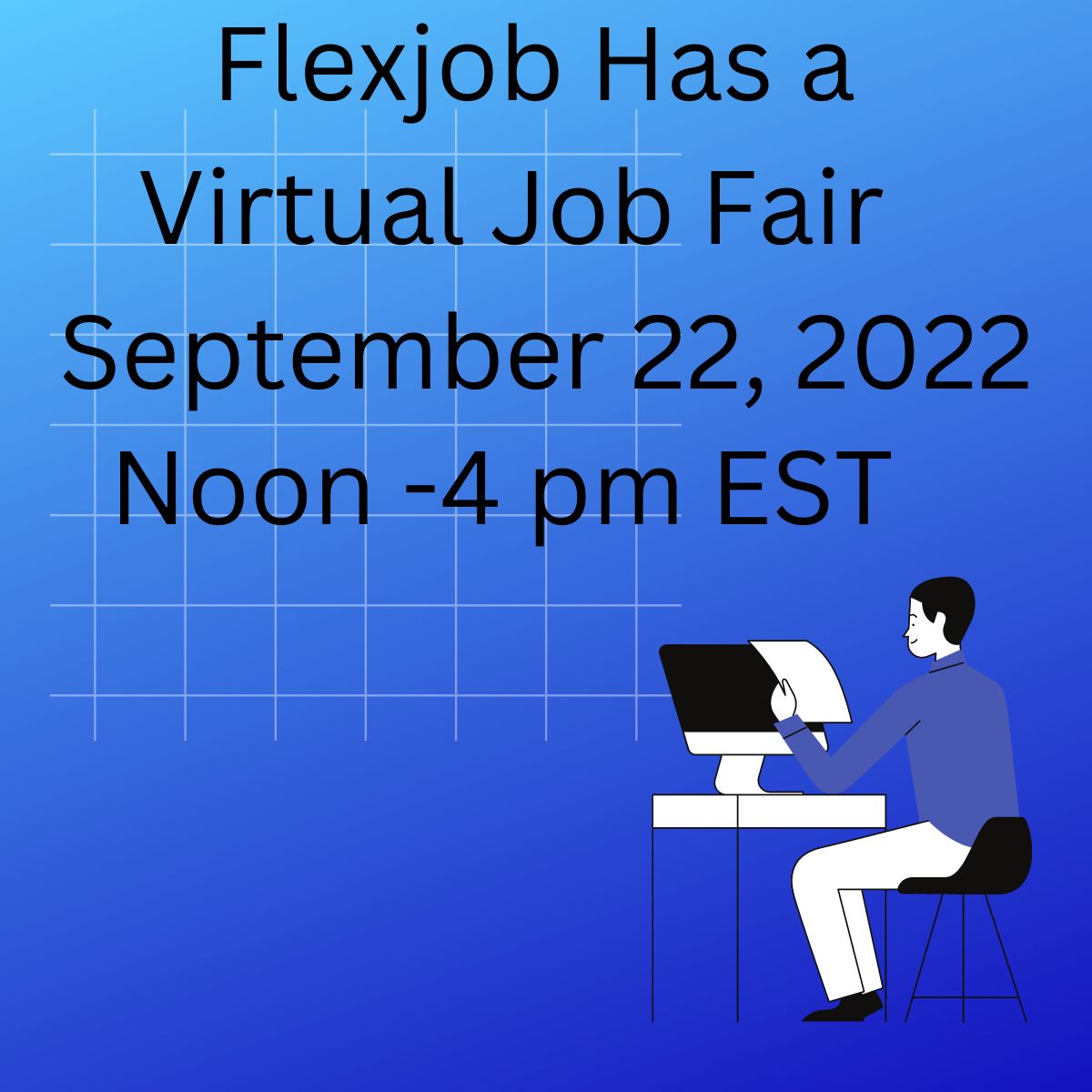
Flexjobs (www.flexjobs.com) is having a Virtual Job Fair
Flexjobs is a website that focuses on listing remote job positions,
The link to the details of the Virtual Job Fair is below:
https://www.flexjobs.com/events/event/544
Flexjobs is a subscription website where one has to subscribe to access job positions.
The costs of subscriptions are in the link below
Information on how to subscribe:
https://www.flexjobs.com/Pricing.aspx
I recommend Flexjobs myself.
I am not getting paid for this recommendation.
I use Flexjobs myself and think it can help others.
(For those who are searching) May everyone be successful with their remote job search journey quickly and soon.
“Terrific Telecommuting Tuesdays” Column
“Terrific Telecommuting Tuesdays” I plan as a future column on Remote work (content appears as ideas come); if you like the content, please share, comment, or like.
From Live Your Life Learning (www.liveyourlifelearning.com)
Resources and ideas on remote working and life.
Thanks for reading. Thank you.
Live Your Life Learning Blog
(This post is a “Double Issue” – will create content in two weeks on September 26, 2022. Thank you).
I would enjoy hearing your opinion and ideas.
Live Your Life Learning does topics related to remote work.
You can give your opinions (and ideas) on improving the Live Your Life Learning channel. What type of content would you like?
You can write an email at
I.like.to.get.your.thoughts@outlook.com.
(There are dots between the words at the beginning part of this email)
Thank you for your participation
Use keywords to find information; find Remote Job Positions
You are likely to use keywords when searching for information on the Internet. You will often search for remote job positions using keywords. So, a discussion of keywords may be helpful in your journey to finding a remote job position. You may use keywords to find job positions on Internet Job Boards.
Here are some ideas for using keywords:
Think of different names to describe a career
You may have different keywords to describe a career you are interested in. You may increase the number of remote job positions on Internet Job Boards by finding additional keywords to describe your career. You may discover keywords to describe your career by reading occupational career information, informational interviews, and your personal experience in your career field.
Advanced Search Screens
You may search for a remote job position on Internet job boards.
The Internet Job Board may have an advanced search screen that gives you additional options to do keyword searches.
I like title searches myself, as found on Indeed.com
I like Internet Job Boards that allow you to do a keyword search by Title Field. I believe keyword searches in the Title Field can give more accurate job search results.
An Internet Job Board called Indeed.com allows people to search by Title Field. Below is the Internet address to access the Advance Search Screen for Indeed.com.
https://www.indeed.com/advanced_search
Search Operators
You can use search operators. Search operators are characters you type in a search box, giving you additional control on how to search for words. For example, Internet Job Boards may allow you to use quotes (“ “) around a word phrase that you want to search by a word phrase. You can use the quotes (“ “) to instruct the Job Board to search by word phrase.
Help Section
Job Boards can have Help Sections giving you information on how you can do keyword searches. The Help Section may provide valuable information on how to do a keyword search.
In Conclusion
In conclusion, if you have ideas to make Live Your Life Learning better, please use the email at I.like.to.get.your.thoughts@outlook.com. You can search for remote job positions through keywords. You may improve your remote job search by considering what keywords can describe your career: Advanced Search Screens, Search Operators, and Help Section.
Live Your Life Learning Blog
Live Your Life Learning Blog
Happy Labor Day (Holiday for those in the United States).
I spent time with friends and family this weekend; I will write another post next week.
May everyone have a wonderful holiday weekend.
Live Your Life Learning Blog